If you're sitting on hours of podcast recordings, livestreams, webinars, Zoom calls, or YouTube videos and still posting manually clipped content (or worse, nothing at all), you're leaving reach on the table. AI video repurposing tools exist specifically to close that gap: upload a long video, get a stack of vertical clips ready for TikTok, Reels, and YouTube Shorts in minutes.
The market has matured considerably in 2026. A few platforms have pulled ahead with genuinely different approaches, while others are essentially the same product with different UIs. I tested the five most talked-about tools and broke down what they actually do, what they cost, and who they're for.
Quick Comparison: 5 Best AI Video Repurposing Tools in 2026
| Tool | Best For | Free Plan | Paid Starting Price | Caption Languages | Aspect Ratios (Free) |
|---|---|---|---|---|---|
| AI Video Cut | Intent-driven clipping, prompt-based control | 50 min (one-time) | $10/mo (annual) | 100+ | All (9:16, 1:1, 16:9) |
| Opus Clip | Automated virality scoring | 60 min/mo | $15/mo | ~30 | 9:16 only |
| Klap | Fast one-click repurposing | 15 min trial | $29/mo | 52+ | 9:16 only |
| Submagic | Caption styling and short-form polish | 3 videos/mo | $20/mo | 48 | Limited |
| Vizard | Podcast and webinar clipping | 60 min/mo | ~$19/mo | 18+ | 9:16 only (free) |
Note: Pricing verified from official sources and third-party review aggregators as of June 2026. Annual billing rates shown where applicable.
1. AI Video Cut: Prompt-Based Control Over What Gets Clipped
Starting price: Free (50 one-time minutes) · Paid from $10/month (annual) · aivideocut.com
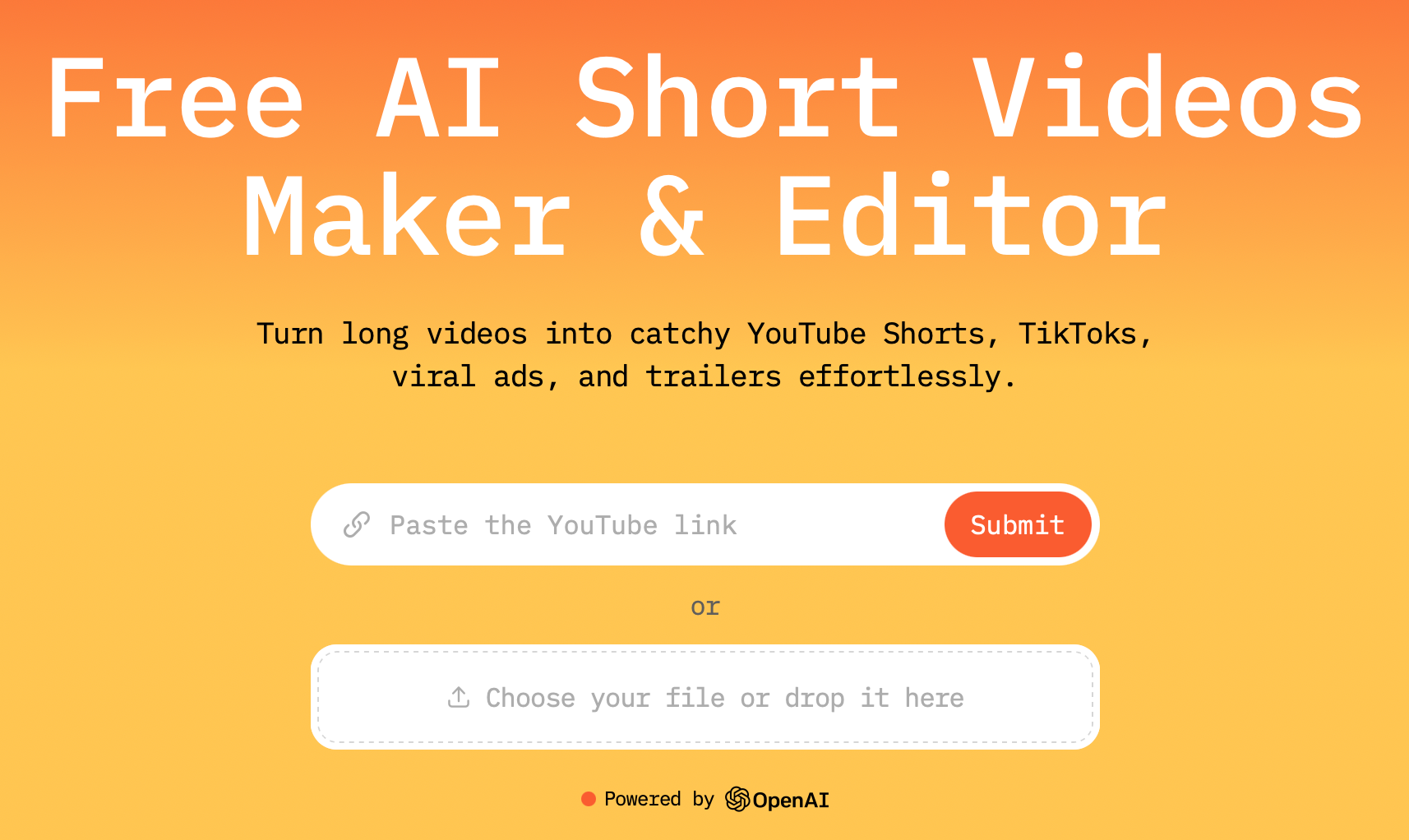
Most AI clipping tools analyze your video and pick what they think is engaging. AI Video Cut takes a different approach. Instead of a black-box algorithm deciding what's worth clipping, you choose a mode before the AI processes anything.
AI Video Cut offers over 10 prompt templates: Viral Clips, Show Highlights, Funny Moments, Product Review, Music Highlights, Sports Highlights, Gaming Highlights, Trailer, Memorable Phrases, and more. You can also write a custom prompt, so the result would be topic-aligned clips rather than generic engagement-bait.
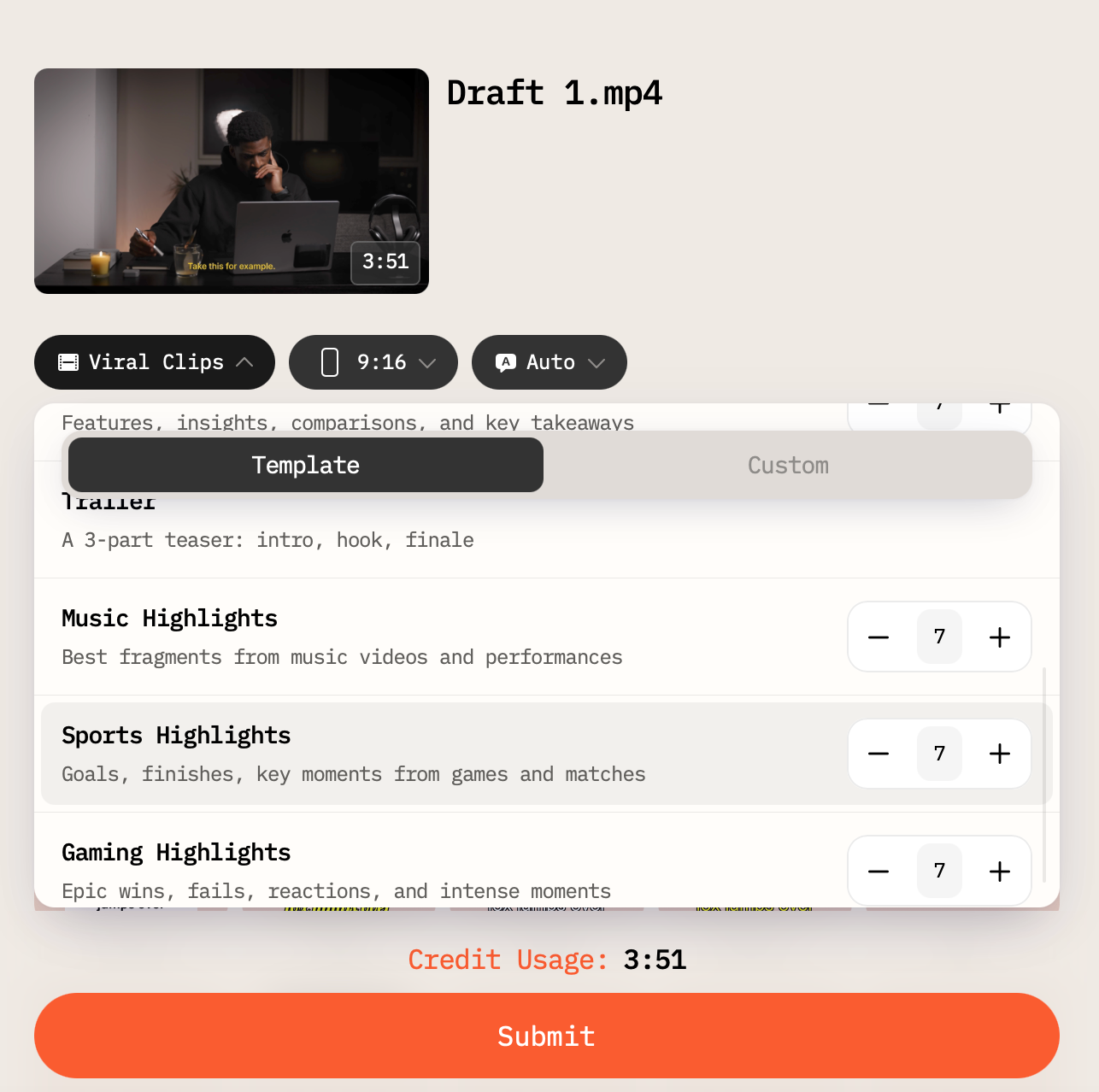
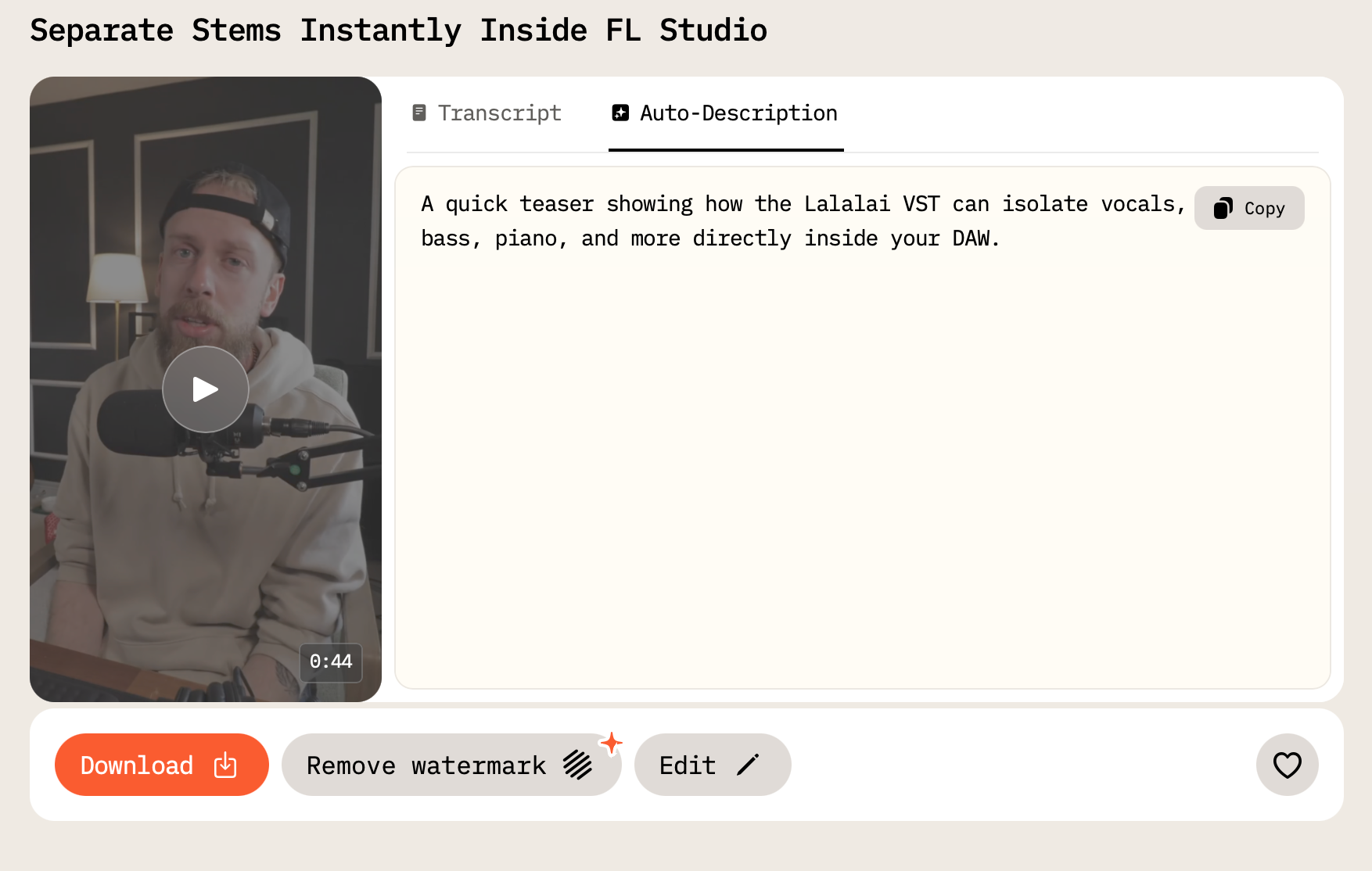
In addition to the video type, you can also select the length of the output clip (in some modes), aspect ratio, captions style, and turn a single original long-form clip into up to 10 engaging Reels or Shorts. This batch creation depends on the mode you choose.
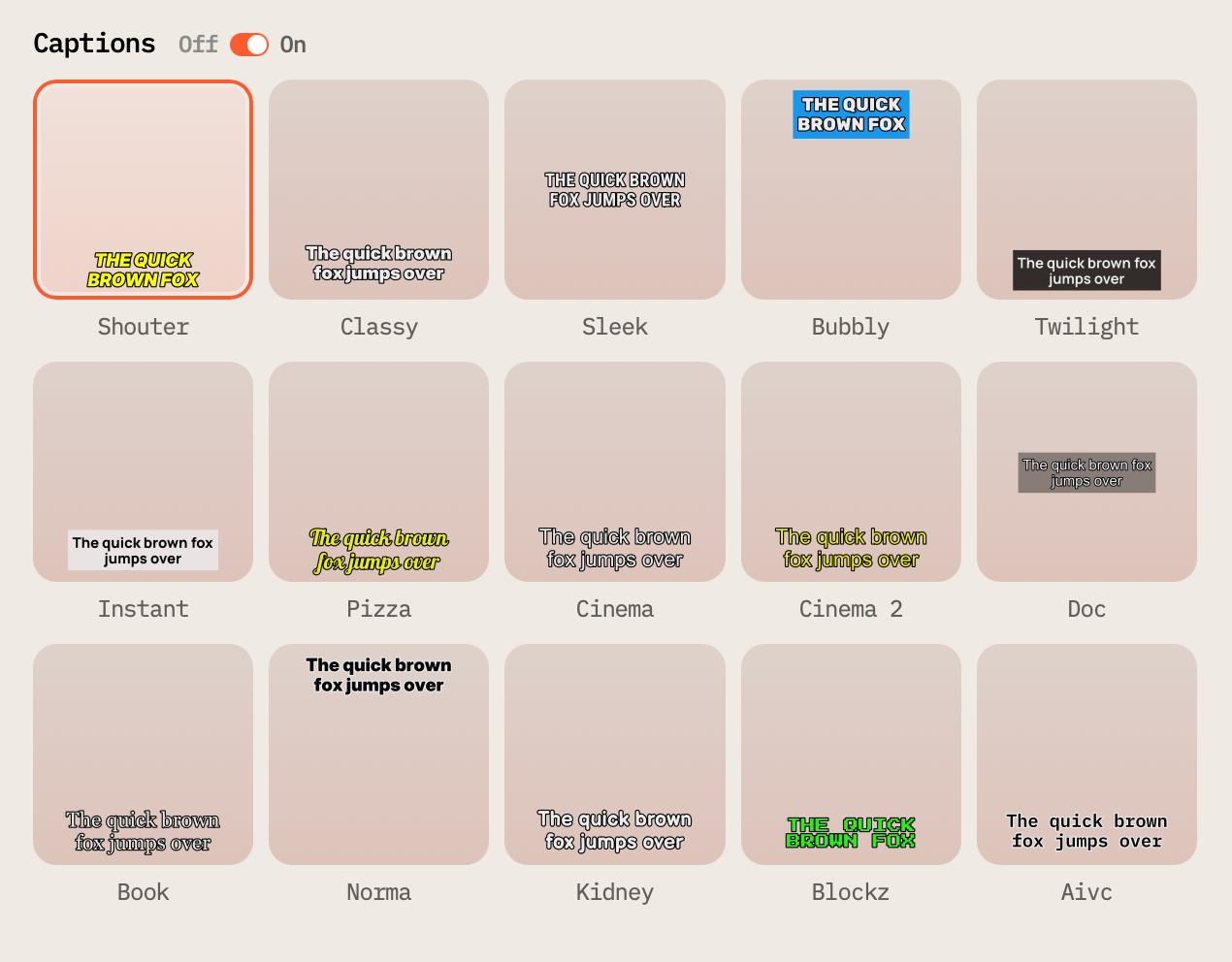
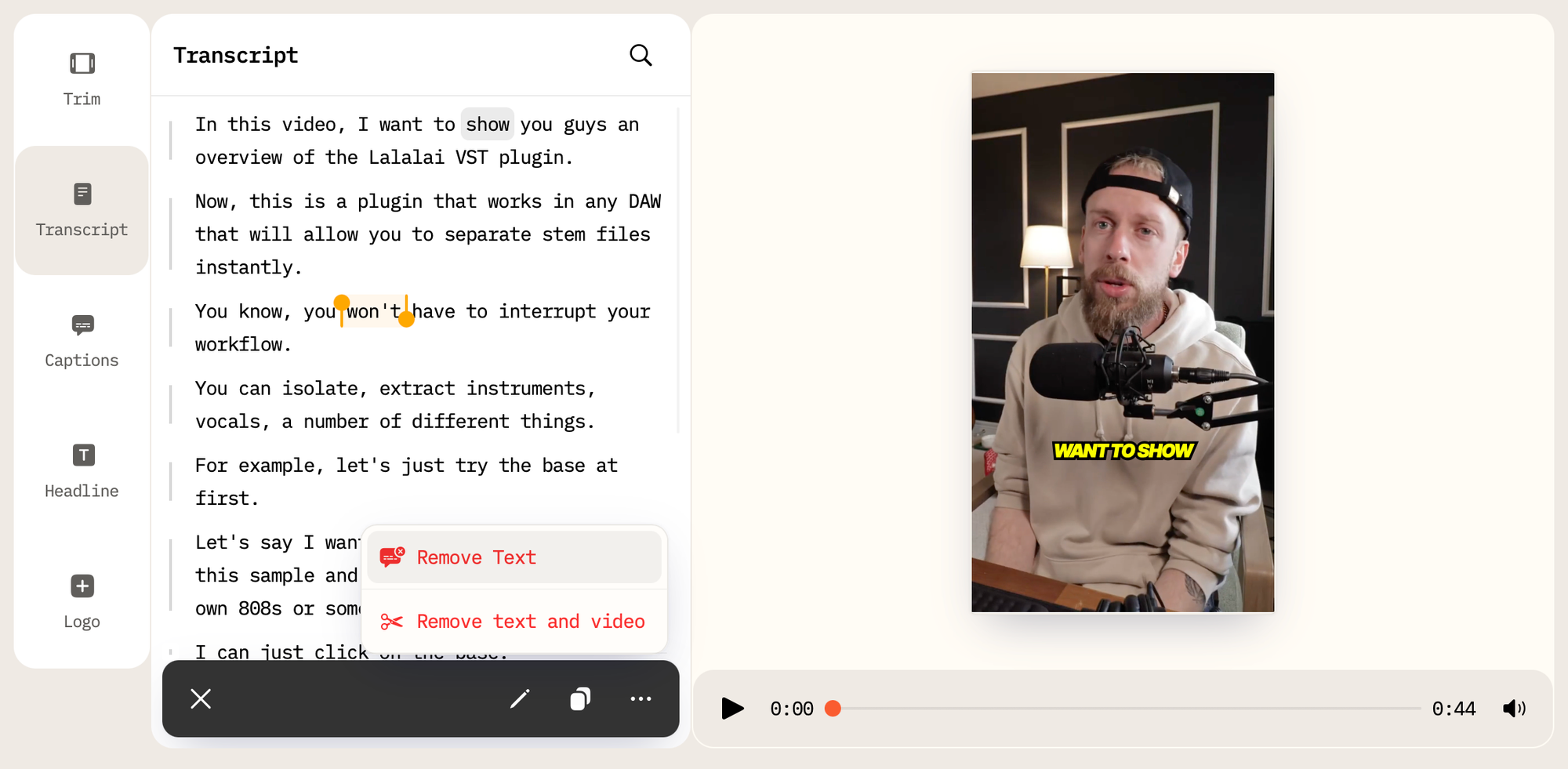
What the editor looks like in practice: After creating clips in AI Video Cut, you work in a dual editor: transcript-based and timeline-based simultaneously. Delete a sentence in the transcript, and the video updates instantly. Smart Face Detection keeps the speaker framed in 9:16, 4:3, or 1:1 without manual reframing. Auto-captions in 100+ languages come with full style controls: color, size, shadow, placement, and many more settings.
Batch creation is notable: supported prompt modes generate up to 10 clips at once, each aligned to the chosen output type. The regeneration system also lets you reprocess the same source file through a different mode: 2 free regenerations on the free plan, 5 on paid without consuming processing minutes.
Pricing breakdown:
- Free: 50 one-time processing minutes, all aspect ratios, full editor, 14-day storage, 2 GB upload cap
- Starter ($10/mo, annual): 1,800 minutes/year, no watermark, Full HD export, 6-month storage, 4 GB upload, up to 2-hour files
- Pro ($12.50/mo, annual): 3,600 minutes/year, same features as Starter with doubled capacity
Who it's for: Creators who want to control what kind of clip comes out, not just that clips come out. Especially useful for marketers running multi-format campaigns from a single video source.
2. Opus Clip: AI Virality Scoring with a Credit Cap
Starting price: Free (60 min/mo) · Paid from $15/month · opus.pro
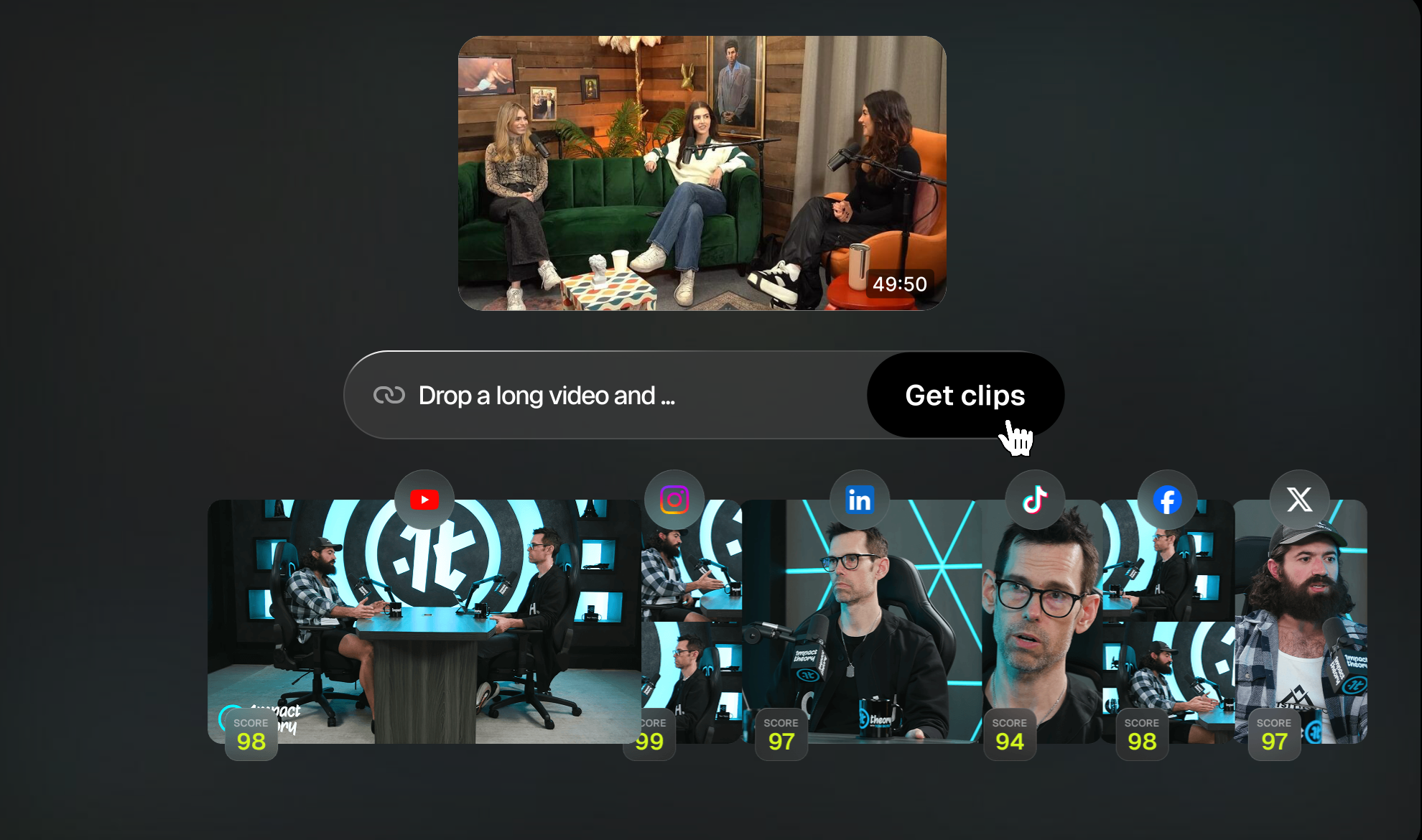
Opus Clip is one of the most widely used AI clippers in 2026, with a reputation built on its "Viral Score", an AI-assigned rating for each clip based on hook strength, content type, and platform-specific engagement patterns. Upload a video, get clips ranked by estimated virality. For creators who trust algorithmic curation, this hands-off model works well.
The free tier gives 60 processing minutes per month (refreshed monthly, not one-time), no credit card required. Exports are watermarked, stored for 3 days only, and locked to 9:16 aspect ratio. The Starter plan at $15/month adds watermark-free exports, virality scores, and text/timeline editing, but caps exports at 720p and 150 processing minutes per month. Full 1080p only unlocks at Pro ($29/month, 300 minutes).
The credit math matters: 1 credit = 1 minute of source video processed. A single 60-minute podcast uses 60 credits: the entire free monthly allowance in one upload. At Starter, four 45-minute recordings exhaust the 150-minute cap. Pro's 300-minute ceiling fills quickly for anyone with a regular publishing schedule.
What's missing: The platform provides limited control over clip intent. You can specify topics via natural language prompt on paid plans, but the AI defaults to engagement-based selection regardless. There's no transcript-based editor on the Starter tier, and aspect ratios beyond 9:16 and 1:1 require Pro.
Pricing breakdown:
- Free: 60 min/mo, watermark, 9:16 only, 3-day storage, no scheduler
- Starter ($15/mo): 150 min/mo, no watermark, 720p, virality scores, basic editing
- Pro ($29/mo): 300 min/mo, 1080p, multi-platform auto-posting, speaker detection, brand kit
Who it's for: Creators comfortable with AI-curated clip selection who don't need granular control over output type, and whose monthly source video volume stays under 5 hours.
3. Klap: One-Click Repurposing, French-Built, Limited Depth
Starting price: Free trial (15 min) · Paid from $29/month · klap.app
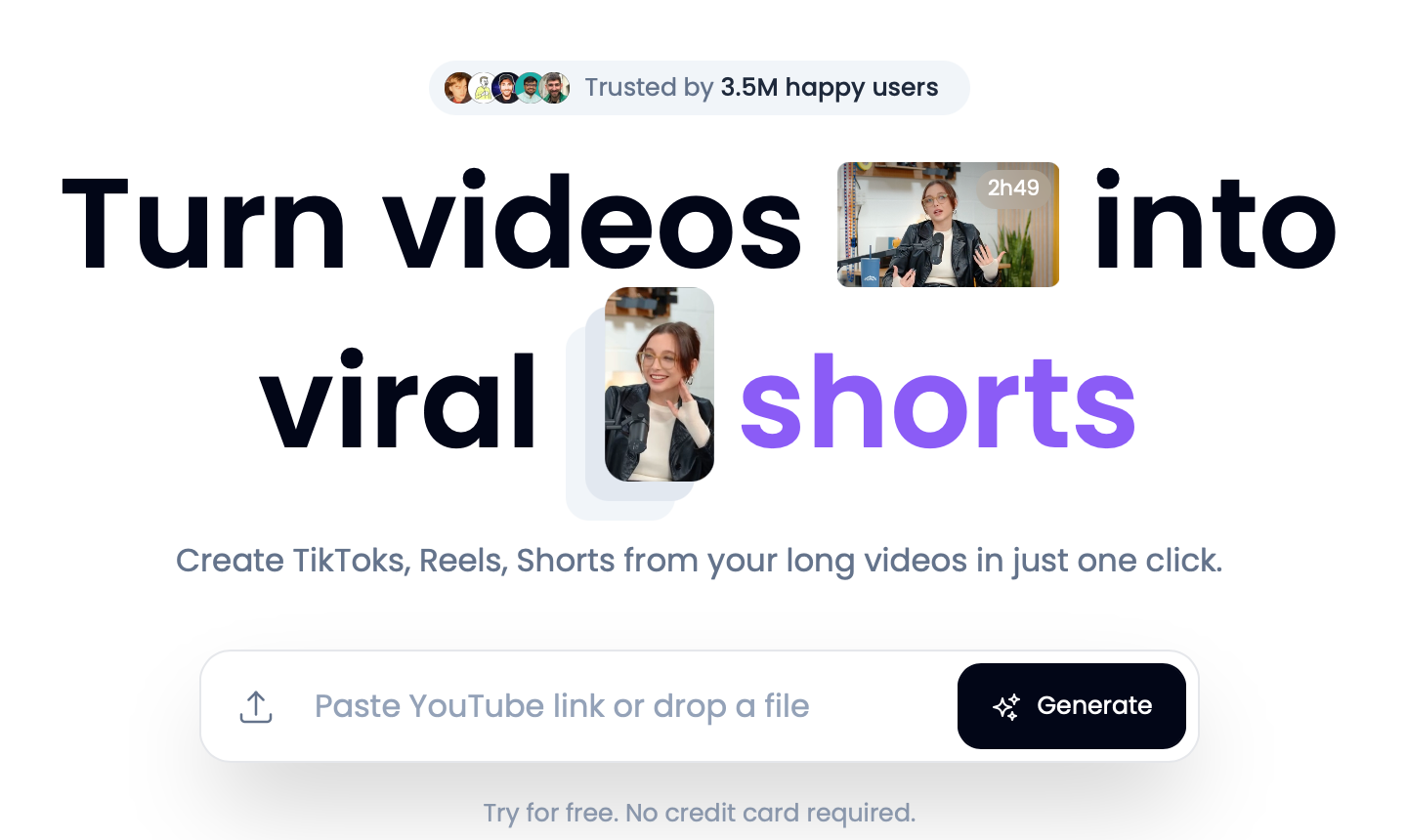
Klap's value proposition is speed and simplicity. Paste a YouTube link, click once, get short clips with auto-captions and auto-reframing. The interface is deliberately minimal, almost no decisions required. For creators who want to go from "long video" to "clips ready to post" with the fewest possible steps, Klap is the fastest path.
The platform's AI Reframe 2 automatically identifies the most important on-screen elements, such as faces, text, action, and adjusts the frame accordingly. It supports captions in 52+ languages, and the Pro plan adds AI dubbing in 29 languages for multi-market content.
The trade-offs: Klap has no transcript editor, no timeline interface, and no multi-mode processing. Every video goes through the same single auto-clip pipeline. The free trial is 15 minutes of total source video, which is enough to test one short video, not a full episode. There's no free plan in the traditional sense.
Pricing is per-video-upload rather than per-minute. The Creator plan at $29/month covers 10 video uploads (up to 45 minutes each) and generates up to 100 HD clips. The Pro plan at $79/month extends to 30 uploads (up to 2 hours each), 300 clips in 4K, and adds AI dubbing.
Pricing breakdown:
- Free trial: 15 minutes of source video (no credit card required)
- Creator ($29/mo): 10 uploads/mo, up to 45 min each, 100 HD clips
- Pro ($79/mo): 30 uploads/mo, up to 2 hours each, 300 4K clips, AI dubbing in 29 languages
Who it's for: Creators or marketers who want a minimal-friction clip pipeline and don't need to fine-tune what gets cut or how. Good fit for teams managing YouTube-first content that needs social distribution quickly.
4. Submagic: Caption-First Tool That Also Clips
Starting price: Free (3 videos/mo, watermark) · Paid from $20/month · submagic.co
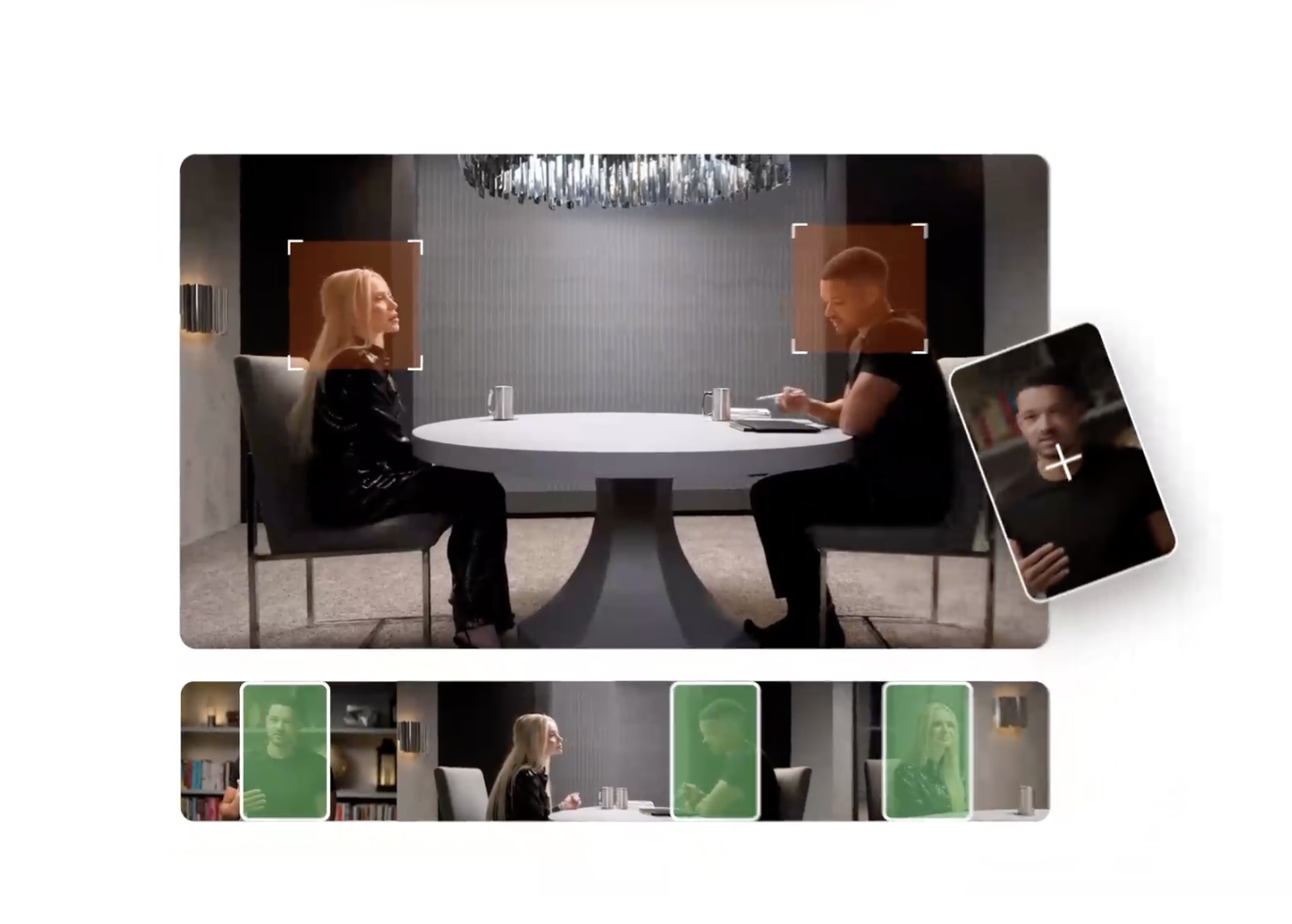
Submagic started as a caption styling tool and has expanded into broader short-form editing. Its defining feature remains animated captions: dynamic subtitle styles built specifically for TikTok and Reels aesthetics, with emoji overlays, key phrase highlighting, and color-coded emphasis. Caption accuracy is cited by users as strong on clean audio, with 4M+ users on the platform and a 99% caption accuracy claim on the marketing site.
The tool also generates AI clips from long videos (10 clips per long-form upload on paid plans), adds AI B-Roll from Storyblocks, handles text-based trimming, and includes sound effects and music suggestions. For creators who already edit clips manually and want to add polished captions quickly, it functions well as a finishing layer.
Where it narrows: The free plan caps at 3 videos per month with a watermark. Starter-tier video duration limits (2-3 minutes per video depending on sources) make it impractical for long-form repurposing. Direct publishing integrations with YouTube, Instagram, and TikTok are absent: you export, then upload manually.
Caption language support covers 48 languages, which is narrower than AI Video Cut (100+) but broader than Vizard (18+).
Pricing breakdown:
- Free: 3 videos/mo, watermark, limited features
- Starter (~$12/mo, annual; ~$20/mo monthly): 15–30 videos/mo depending on source, no watermark, 1080p
- Pro (~$23–40/mo, varies by source): 40–100 videos, Storyblocks B-roll, eye contact correction
- Business + API (~$41–69/mo): 100 videos, 4K export, team workspace, API access
Note: Submagic's pricing varies between billing cycles and regions. Figures above are compiled from multiple third-party sources (SaaSworthy, AISO Tools, Tekpon) as of June 2026. Verify current rates on the official pricing page before purchasing.
Who it's for: Short-form creators who prioritize caption quality and visual styling over automated clip selection. Works best as a finishing tool layered on top of existing editing workflows.
5. Vizard: Solid Clip Engine, Better for Podcasters Than Generalists
Starting price: Free (60 min/mo) · Paid from ~$19/month · vizard.ai
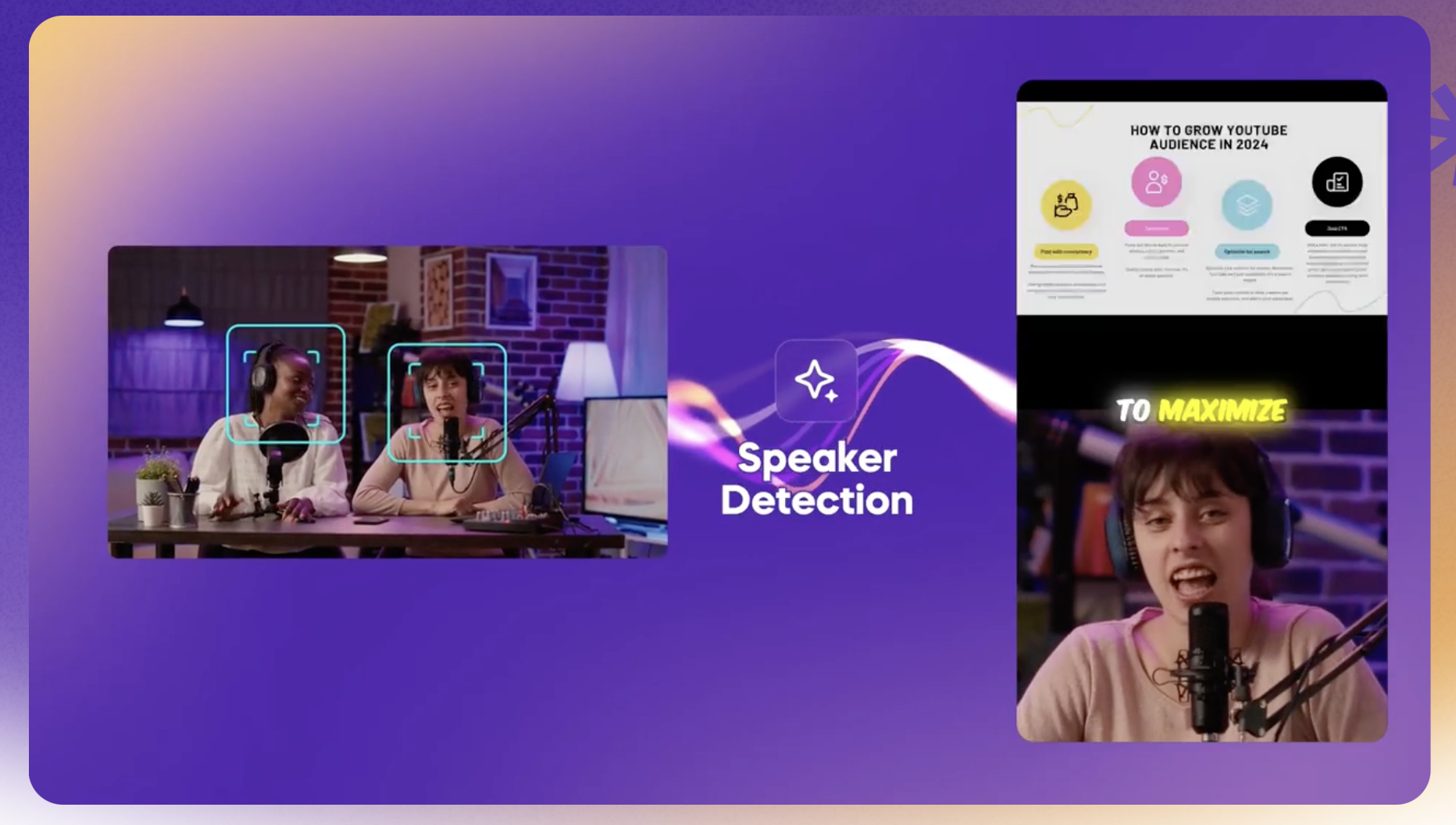
Vizard is positioned as a budget-friendly Opus Clip alternative and performs well in that lane. Upload a long video or paste a YouTube/Zoom/Google Drive URL, and the AI transcribes, scores, and extracts the most engaging segments as vertical clips. Speaker detection centers the frame automatically. The viral score per clip is directionally useful, though users on review platforms consistently note it needs manual review before publishing.
The free plan gives 60 processing minutes per month with a 10-minute maximum export length, watermark on all exports, and 7-day storage. File size is capped at 1 GB on the free tier. The Creator paid plan drops the watermark, unlocks 4K export, allows 6 connected social accounts, and adds scheduled posting and a Brand Kit. API access is included in all paid plans without a separate subscription.
Limitations to know: Vizard supports 18+ transcription languages, which is useful for English-dominant workflows but limited for multilingual content teams. Arabic and other right-to-left subtitle handling requires manual correction. Native integration with Webex and Microsoft Teams is absent; those recordings need to be exported as MP4 first.
The platform has a dedicated workflow for podcasters, and that's where it performs most reliably. A weekly 60-minute episode generates 10–20 short clips, enough to feed multiple social accounts for the week.
Pricing breakdown:
- Free: 60 min/mo, watermark, 7-day storage, 1 GB file cap, 10-min max export, 720p
- Creator (~$19/mo, annual): 30 hours upload/month, no watermark, 4K export, 6 social accounts, scheduler, Brand Kit
- Business (~$42/mo, annual): 100 hours/month, shared workspace, custom fonts, client access, priority processing
Note: Vizard's pricing interface is JS-heavy and exact figures vary across sources. Benchmark values above are from Vizard's own editorial pricing references (April–June 2026). Confirm on the official pricing page.
Who it's for: Podcasters and interviewers who want an affordable, reliable clip pipeline for spoken-word content and are primarily publishing in English or a small set of supported languages.
Feature Comparison Table
| Feature | AI Video Cut | Opus Clip | Klap | Submagic | Vizard |
|---|---|---|---|---|---|
| Clipping method | User-selected modes (10+ prompt types) | AI virality scoring | Single auto-clip pipeline | AI clip extraction + caption focus | AI virality scoring |
| Custom prompt input | Yes (natural language) | Limited (paid) | No | No | No |
| Editor | Yes (dual: transcript + timeline) | Basic (paid) | No | Text-based trimming | Yes |
| Smart face detection | Yes | Limited | Yes (AI Reframe 2) | No | Yes |
| Auto-caption languages | 100+ | ~30 | 52+ | 48 | 18+ |
| Aspect ratios (free) | All (9:16, 1:1, 16:9, original) | 9:16 only | 9:16 only | Limited | 9:16 only |
| Batch clip generation | Up to 10 per prompt | No | Yes (per upload) | 10 clips per long video | Yes |
| Free plan type | 50 min one-time | 60 min/mo (permanent) | 15 min trial only | 3 videos/mo | 60 min/mo (permanent) |
| Free plan watermark | Yes | Yes | N/A | Yes | Yes |
| Free storage duration | 14 days | 3 days | N/A | Not specified | 7 days |
| Paid entry price | $10/mo (annual) | $15/mo | $29/mo | ~$20/mo | ~$19/mo |
| Direct social publishing | No | Yes (paid) | Yes | No | Yes (paid) |
| API access | Not listed | Business only | Yes | Business + API plan | All paid plans |
How to Choose the Right Tool for Video Repurposing: 4 Questions
1. Do you need to control what gets clipped, not just how many clips you get?
If you're running campaigns where clip intent matters, like testimonials vs. product features vs. funny moments, AI Video Cut's mode-based system is the only one that addresses this directly.
2. Is your source video primarily spoken-word content (podcasts, interviews, webinars)?
Vizard is optimized for this use case and offers the most affordable entry point for high-volume podcast repurposing. Opus Clip also handles it well at a slightly higher price.
3. Do you need captions to look polished for TikTok/Reels aesthetics?
Submagic's caption styling is the strongest in this list. If your clips are already edited and you mainly need animated subtitles with emoji overlays and brand fonts, Submagic is the most focused tool for that.
4. Is speed from link to publish more important than editorial control
Klap is the fastest pipeline. Paste a URL, get clips. No transcript editor, no timeline, no mode selection, just output.
FAQ
What is AI video repurposing?
AI video repurposing is the process of using machine learning tools to automatically extract short clips from long-form videos (podcasts, webinars, interviews, YouTube videos) and format them for social media platforms like TikTok, Instagram Reels, and YouTube Shorts. The AI handles clip selection, reframing, and captions without manual editing.
How long does AI video repurposing take?
Most tools process a 60-minute video and deliver clips in 3–10 minutes, depending on the platform and server load. Klap advertises near-instant output for shorter inputs. Vizard notes typical processing for a 45-minute video runs 3–6 minutes on paid plans. In my experience, AI Video Cut takes about 3-5 minute depending on the original video length.
Do these tools require a subscription?
All five tools have some form of free access, though the depth varies significantly. AI Video Cut and Opus Clip both offer permanent free tiers with meaningful processing limits (50 one-time minutes and 60 monthly minutes respectively). Klap offers only a 15-minute trial without a persistent free plan. Submagic limits free use to 3 watermarked videos per month. Vizard's free plan provides 60 minutes/month.
Are AI-generated clips good enough to publish without editing?
Results vary by tool and source material. Clips from spoken-word content (interviews, podcasts) generally require less manual intervention than clips from music videos or presentations with slide-heavy content. All reviewers across platforms recommend reviewing AI-selected clips before publishing, particularly when using virality-score-based tools (Opus Clip, Vizard), where the score is described as "directionally useful" rather than definitive.
What's the difference between virality-score-based clipping and mode-based clipping?
Virality-score tools (Opus Clip, Vizard) analyze engagement signals, such as hook strength, pacing, emotional tone, and rank clips by predicted performance. Mode-based clipping (AI Video Cut) lets the user define the intended output type before processing: a "Product Review" clip will pull product-relevant moments rather than general engagement peaks. Both approaches produce short clips, but mode-based systems are better suited for campaigns where clip purpose matters.
Can these tools process videos in languages other than English?
Yes, with varying levels of support. AI Video Cut supports auto-transcription in 100+ languages. Submagic covers 48. Klap covers 52+ and adds AI dubbing in 29 languages on Pro. Opus Clip supports approximately 30 languages. Vizard supports 18+, with known manual-correction issues for right-to-left scripts like Arabic.
Is there a free option that doesn't add a watermark?
As of June 2026, none of the five tools listed offer watermark-free exports on free plans. All paid tiers from all five tools remove watermarks.
Do I need to upload my video file, or can I use a YouTube link?
All five tools accept YouTube URLs. AI Video Cut also accepts links from Google Drive, Reddit, Dailymotion, Instagram, Zoom, Twitch, and Facebook. Vizard additionally supports Vimeo links and Zoom integration directly. Klap's primary workflow is built around YouTube link input.